
HackBot
AI Cybersecurity Assistant
Production-ready AI-powered pentesting assistant with autonomous Agent Mode, native desktop GUI, 10 AI providers, 30+ security tool integrations, and a community plugin marketplace.
$ hackbot agent scanme.nmap.org
⚡ HackBot v1.0.1 | AI Cybersecurity Assistant
🤖 Agent Mode — Autonomous security testing
Phase 1: Reconnaissance
▶ Executing: nmap -sV -sC scanme.nmap.org
◀ nmap SUCCESS (exit=0, 32.1s)
PORT STATE SERVICE VERSION
22/tcp open ssh OpenSSH 6.6
80/tcp open http Apache 2.4.7
🔍 [Info] Open SSH Service Detected
Phase 2: Web Application Scanning
See HackBot in Action
Native desktop GUI, terminal CLI, and comprehensive settings — built for security professionals.
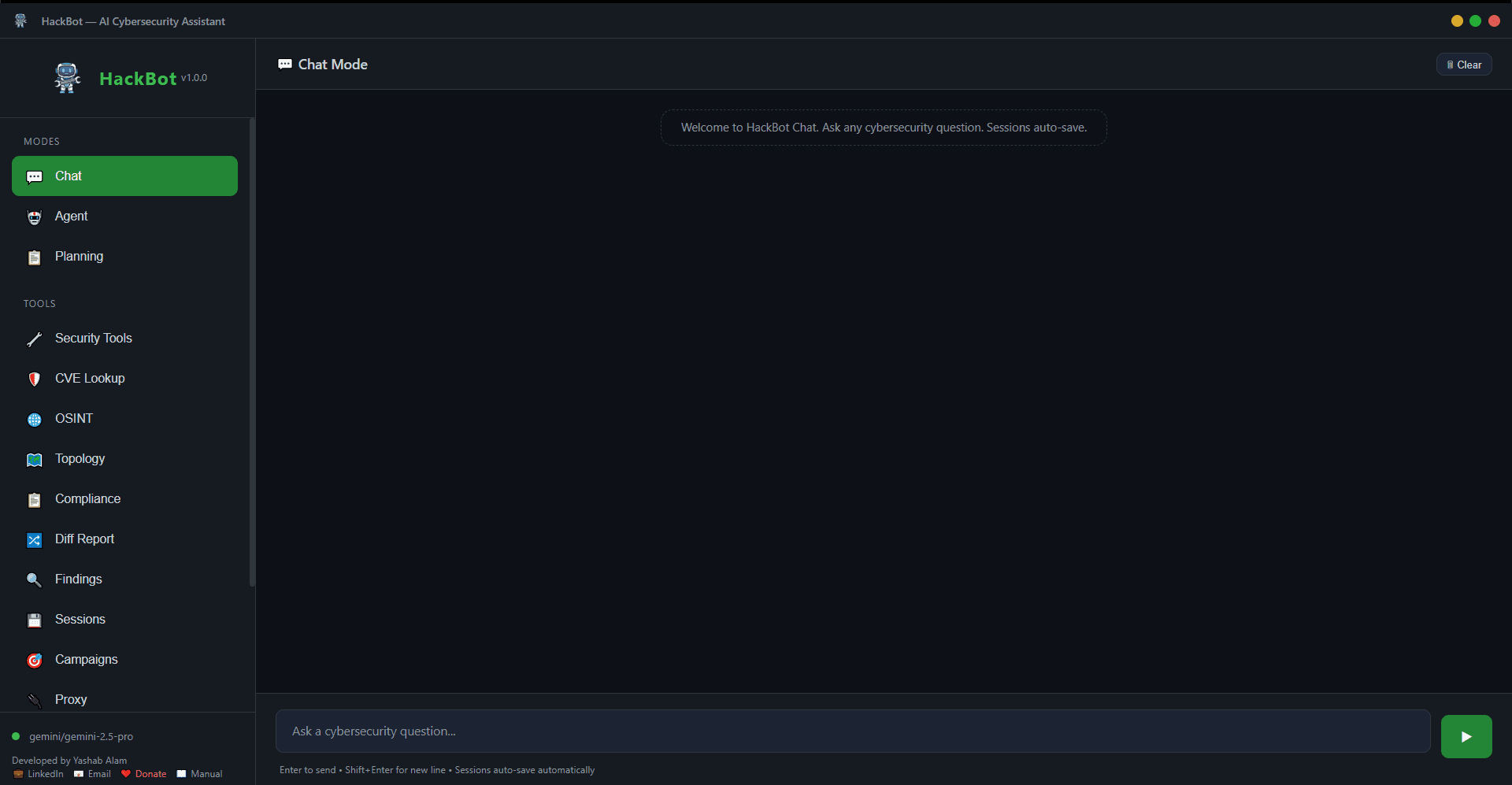
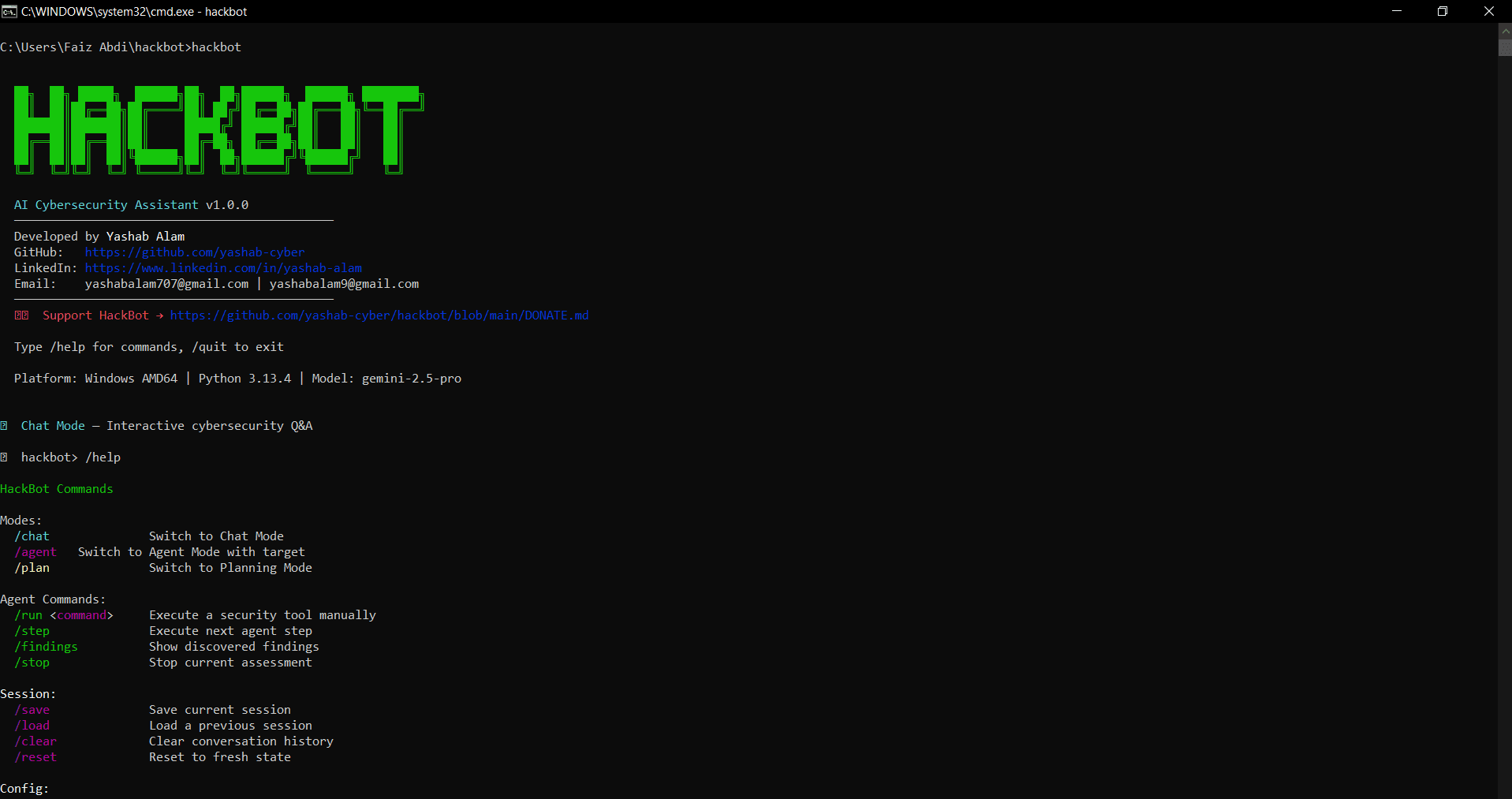
Terminal CLI with rich formatting
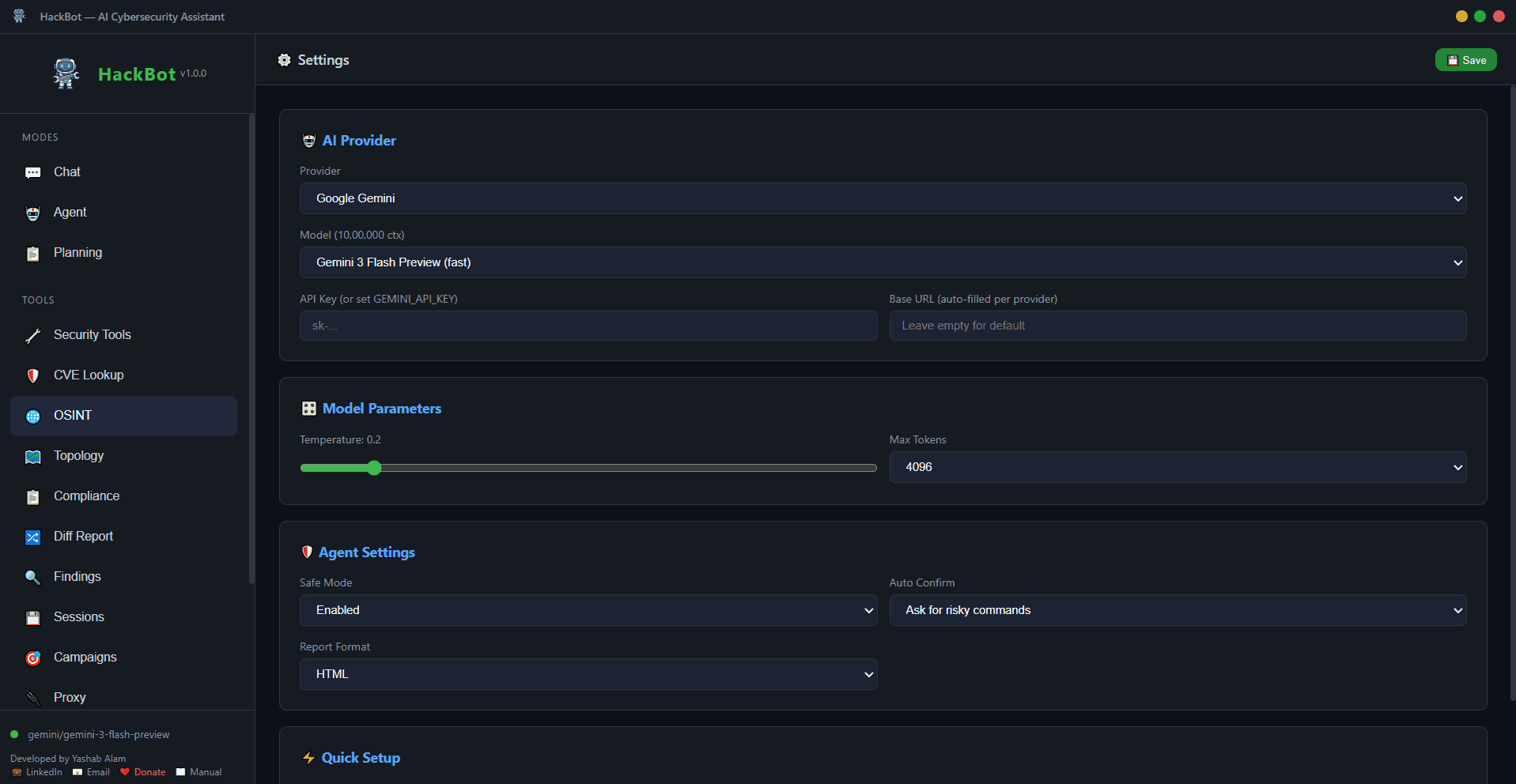
Comprehensive configuration panel
Plugin Marketplace
Discover, share, and download community-built HackBot plugins. Extend your security toolkit with scanners, exploit modules, OSINT tools, and more.
Everything You Need
Professional cybersecurity assessments powered by AI.
Agent Mode
Autonomous pentesting — runs real security tools, analyzes results, adapts strategy in real-time.
Chat Mode
Interactive cybersecurity Q&A with streaming responses and conversation memory.
Planning Mode
Generates structured pentest plans, checklists, and attack methodologies with 8 templates.
Native Desktop GUI
Full-featured graphical interface with dark theme, powered by Flask + pywebview.
CVE / Exploit Lookup
Real-time CVE search against NVD, exploit PoC discovery via GitHub, nmap→CVE auto-mapping.
OSINT Module
Subdomain enumeration, DNS recon, WHOIS, email harvesting, tech stack fingerprinting.
Network Topology
Interactive D3.js force-directed graph from nmap/masscan output with subnet grouping.
Compliance Mapping
Auto-map findings to PCI DSS v4.0, NIST 800-53, OWASP Top 10, ISO 27001.
Diff Reports
Compare assessments — see new, fixed, and persistent vulnerabilities at a glance.
Multi-Target Campaigns
Coordinated assessments across multiple hosts with cross-target intelligence sharing.
Custom Plugins
Python plugin system — register your own scripts as agent-callable tools.
AI Remediation
Auto-generate fix commands, config patches, and code snippets for each finding.
HTTP Proxy
Built-in intercepting proxy for capturing, inspecting, replaying, and flagging web traffic.
Memory & Sessions
Auto-save conversations, session history, continue truncated responses, conversation summarization.
10 AI Providers
OpenAI, Anthropic, Gemini, Groq, Mistral, DeepSeek, Together AI, OpenRouter, Ollama, Local.
Auto Reporting
HTML, Markdown, JSON, and professional PDF reports with executive summary and charts.
Safe Mode
Command validation, blocked dangerous commands, risky-command confirmation prompts.
30+ Tool Integrations
nmap, nikto, sqlmap, nuclei, ffuf, subfinder, hydra, gobuster, and many more.
Three Powerful Modes
Choose the right mode for your workflow.
Agent Mode
Autonomously plans assessments, executes real security tools, analyzes output, adapts strategy, tracks findings, and generates reports.
- Plans structured methodology
- Executes nmap, nikto, nuclei, etc.
- Analyzes output & determines next steps
- Tracks findings with severity ratings
- Generates PDF reports automatically
$hackbot agent scanme.nmap.orgChat Mode
Interactive AI chat with deep cybersecurity knowledge, streaming responses, and conversation memory.
- Streaming AI responses
- Auto-save conversations
- Continue truncated responses
- SQL injection, XSS, reverse shells
- CTF challenges & bug bounty tips
$hackbotPlanning Mode
Generate structured pentest plans with methodology, tools, and timelines. 8 built-in templates.
- Web Application Pentest
- Network Penetration Test
- API Security Assessment
- Cloud Security Audit
- Red Team Engagement
$hackbot plan example.com --type web_pentest10 AI Providers
Switch providers instantly. Use cloud APIs or run 100% locally with Ollama.
OpenAI
GPT-5.2, GPT-4o, o3-mini
Anthropic
Claude Opus 4.6, Sonnet 4
Google Gemini
Gemini 3 Pro, 2.5 Pro
Groq
LLaMA 3.3 70B, ultra-fast
Mistral AI
Mistral Large 2, Codestral
DeepSeek
DeepSeek V3, R1 reasoning
Together AI
LLaMA 3.1 405B, Qwen 2.5
OpenRouter
All models, one API key
Ollama
100% local, no API key
100% LOCALLocal / Custom
Any OpenAI-compatible server
$ hackbot --provider ollama --model llama3.2
$ hackbot --provider anthropic --model claude-sonnet-4-20250514
$ hackbot --provider groq --model llama-3.3-70b-versatile
# Zero code changes — just switch the flag
Get Started
Install HackBot in seconds. Works on Linux, macOS, and Windows.
curl -sSL https://raw.githubusercontent.com/yashab-cyber/hackbot/main/install.sh | bash
pip install "hackbot[all] @ git+https://github.com/yashab-cyber/hackbot.git"
git clone https://github.com/yashab-cyber/hackbot.git
cd hackbot
pip install -e ".[all,dev]"
docker build -t hackbot .\ndocker run -it -e HACKBOT_API_KEY=your-key --network host hackbot
Quick Start
Set Your API Key
export HACKBOT_API_KEY=sk-your-keyLaunch HackBot
hackbotStart Testing
/agent scanme.nmap.orgSecurity Disclaimer
HackBot is designed for authorized security testing only. Always obtain explicit written permission before testing any system. Follow responsible disclosure practices. Comply with all applicable laws and regulations. Never use this tool against systems you don't own or have authorization to test.